Free · Works offline · 21+ trade tool

Booze Napkin Math

Alcohol Beverage Margin Calculator

Margin math for beer, wine and spirits. Know your shelf profit and your cost per pour before you talk price. Right from your phone, no sign-up.

How to install on your phone

iPhone: open the app in Safari, tap Share, then Add to Home Screen.

Android: open the app in Chrome, tap ⋮, then Install app.

Full steps

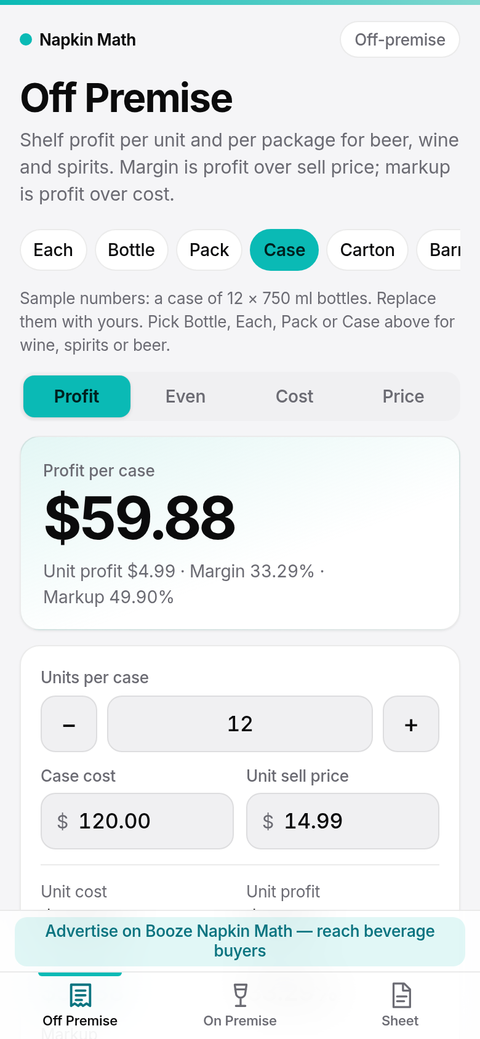
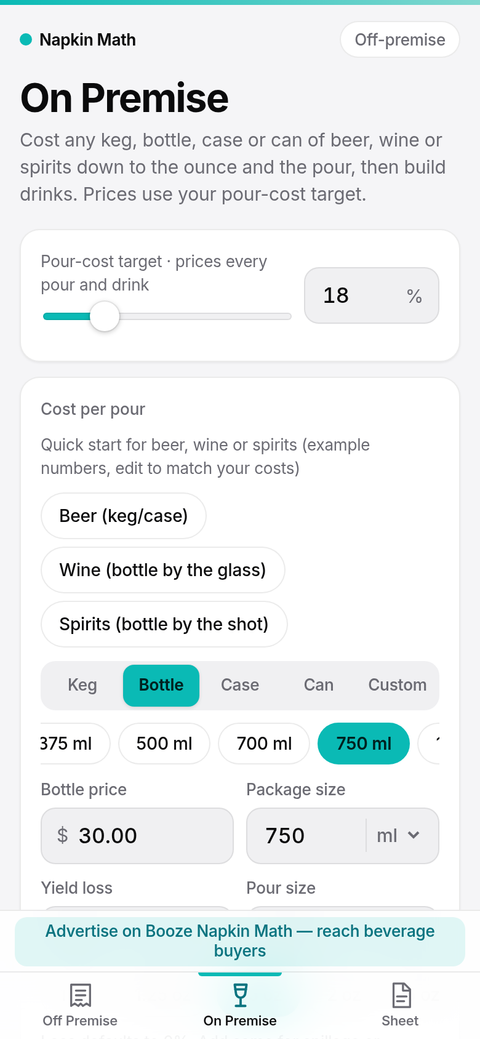
Off Premise screen showing sample case profit, unit profit, margin and markup for a case of 12 wine bottles On Premise screen showing wine by the glass: sample cost per 5 oz pour and glasses per 750 ml bottle

Two calculators. Zero spreadsheets.

Type the numbers from the invoice. Get the answer a buyer or bar owner cares about.

Off Premise

Shelf profit, in seconds

For retail buyers and the reps who sell to them. Works by each, bottle, pack, case, carton or barrel, for beer, wine and spirits.

  • Profit per unit and per package
  • Margin (profit over sell price) and markup (profit over cost)
  • Break-even volume when a deal changes the price
  • Cost and price tables to compare options
On Premise

Cost per ounce, cost per pour

For bars and restaurants. Cost any keg, bottle, case or can of beer, wine or spirits, then build drinks.

  • Cost per ounce and per pour, with optional yield loss
  • Wine by the glass and spirits by the shot, from 187 ml splits to 3 L bottles and 6 to 24 bottle cases
  • Quick starts for beer, wine and spirits with sample numbers you replace with your own
  • Menu price at your pour-cost target
  • Profit per drink for cocktails with several ingredients
PDF sell sheet

Leave behind a one-page sheet with your logo

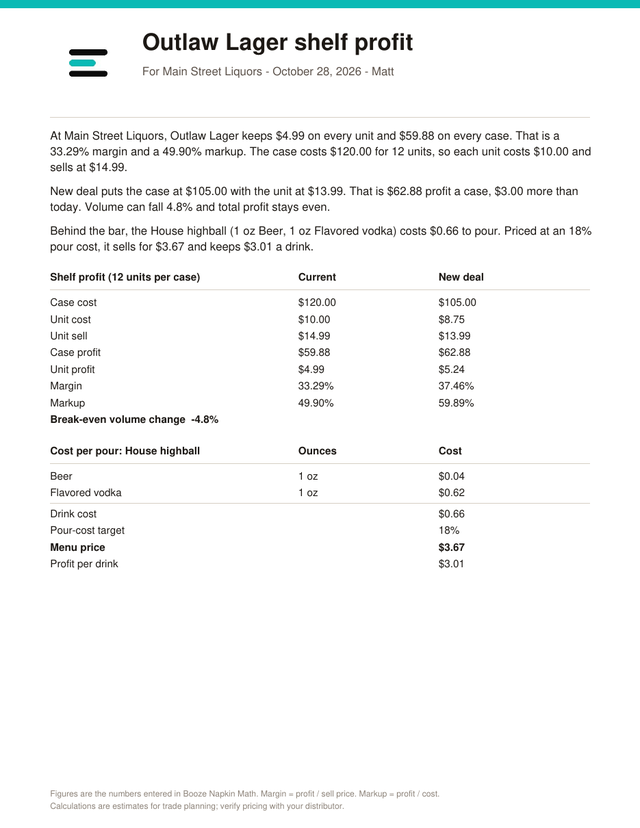
Turn the math into a clean PDF in plain English. Add your own logo and name and hand it to the buyer.

  • The profit story, written out in plain sentences
  • Current deal vs. new deal side by side
  • Your logo on top. It stays on your device.
Sample PDF sell sheet with a logo, a profit story and a table of current versus new deal figures
Free to useNo accounts, no subscription, no paywall.
Works offlineOpen it in a cooler, a warehouse or a back office with no signal.
Stays on your deviceYour numbers and logo are stored on your phone, not on our servers.

Add to Home Screen

Install it like an app. It opens full screen and keeps working offline.

Open the app to install

iPhone (Safari)

  1. Open the app in Safari.
  2. Tap the Share button.
  3. Scroll and tap Add to Home Screen.
  4. Tap Add.

Use Safari. Other iPhone browsers may not show Add to Home Screen.

Android (Chrome)

  1. Open the app in Chrome.
  2. Tap the ⋮ menu.
  3. Tap Install app or Add to Home screen.
  4. Confirm with Install.

Samsung Internet: tap the menu, then Add page to → Home screen.

Questions

Is it really free?

Yes. There is no sign-up, no subscription and nothing to unlock. Sponsor banners help cover the costs.

Does it need internet?

Only the first time you open it. After that it works offline, including after you add it to your Home Screen.

Where are my numbers stored?

On your device only. We do not have accounts and we do not collect your calculations. We count page visits with privacy-friendly, cookie-free analytics. See the privacy page.

Does it work for wine and spirits, or just beer?

All three. Cost a keg, a case, or a bottle from 187 ml to 3 L, then see the price per glass or per shot at your pour-cost target. Off Premise works by the each, bottle, case or any pack size. The starting numbers in the app are samples, so replace them with your own.

What is the difference between margin and markup?

Margin is profit divided by the sell price. Markup is profit divided by cost. The app shows both so you can speak the language of whoever is across the table.

How accurate is it?

The math is exact for the numbers you enter, but the results are estimates for trade planning. Always verify pricing with your distributor.

Does it sell or deliver alcohol?

No. It is a calculator for people who work in the trade. It does not sell, ship or promote the sale of alcohol to consumers.

Is there an App Store or Google Play version?

Not yet. For now, add it to your Home Screen from your browser using the install steps.